Drop in your CAD files — LOP reads the true geometry, extracts exact dimensions, volume, and weight distribution, and renders your actual part in 3D. No measuring. No typos. No guesswork.
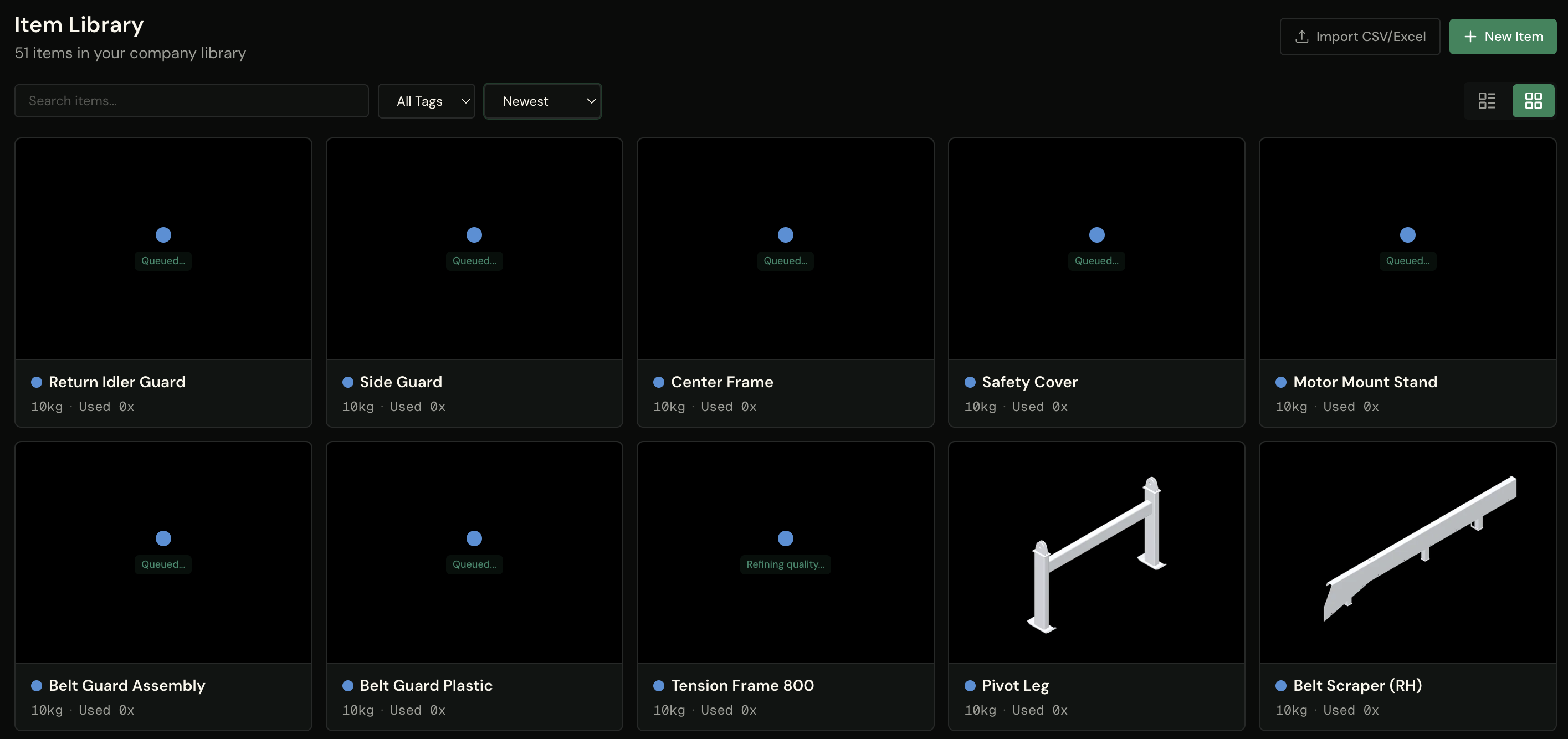
This is the whole pipeline, shown with real parts — nothing staged, nothing mocked.
Select your CAD exports and drop them in — each file is queued, processed, and turned into a library item automatically. You keep working while the batch runs: the grid shows every part's state as it moves from queued to processing to done.
STEP STP STL OBJ PLY
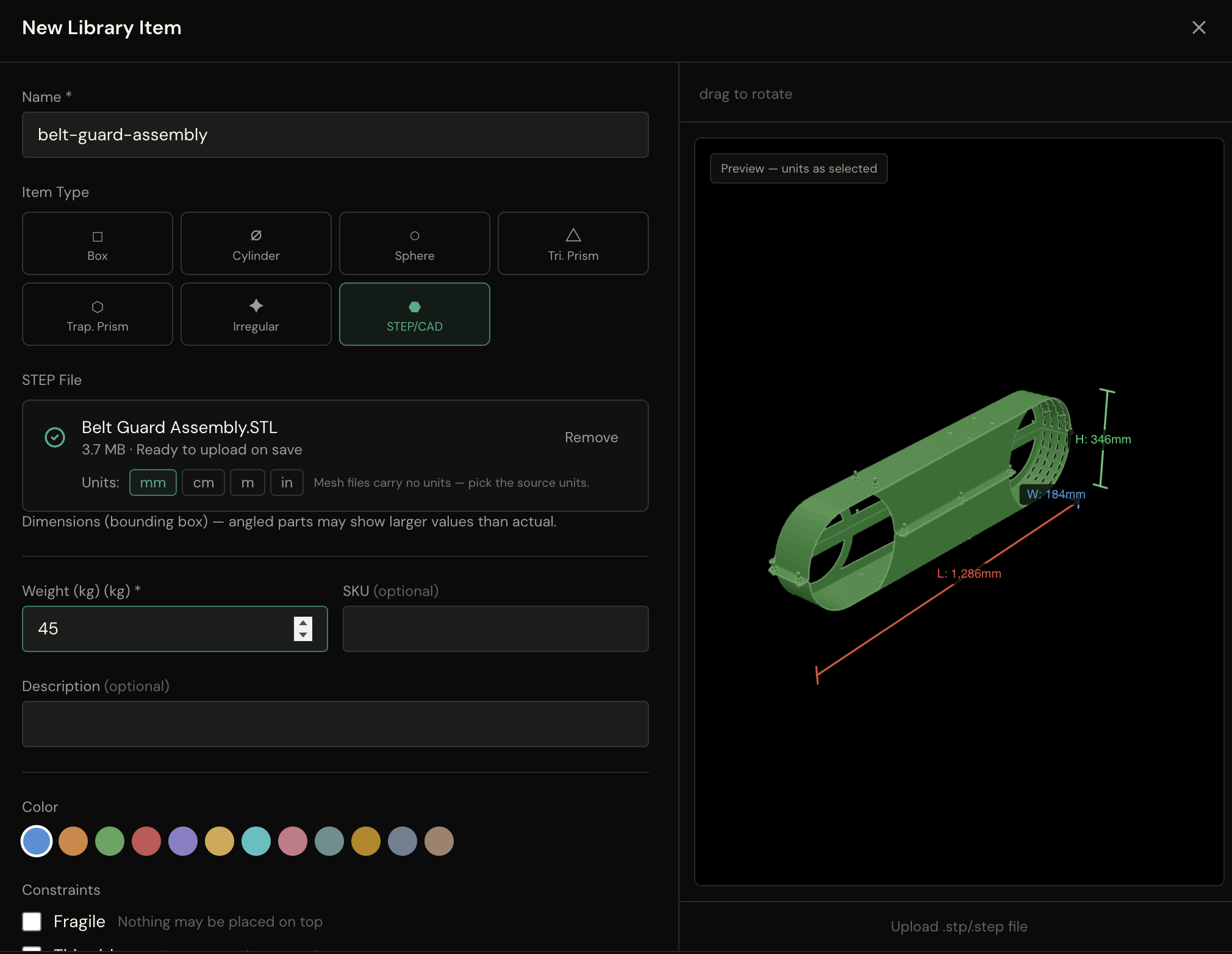
STL, OBJ, and PLY parts preview instantly in your browser — rotate the mesh, check the bounding box, pick the source units, all before you even hit save. STEP parts show a fast coarse preview while the full-fidelity mesh is prepared in the background.
Live 3D preview Dimensions on sight
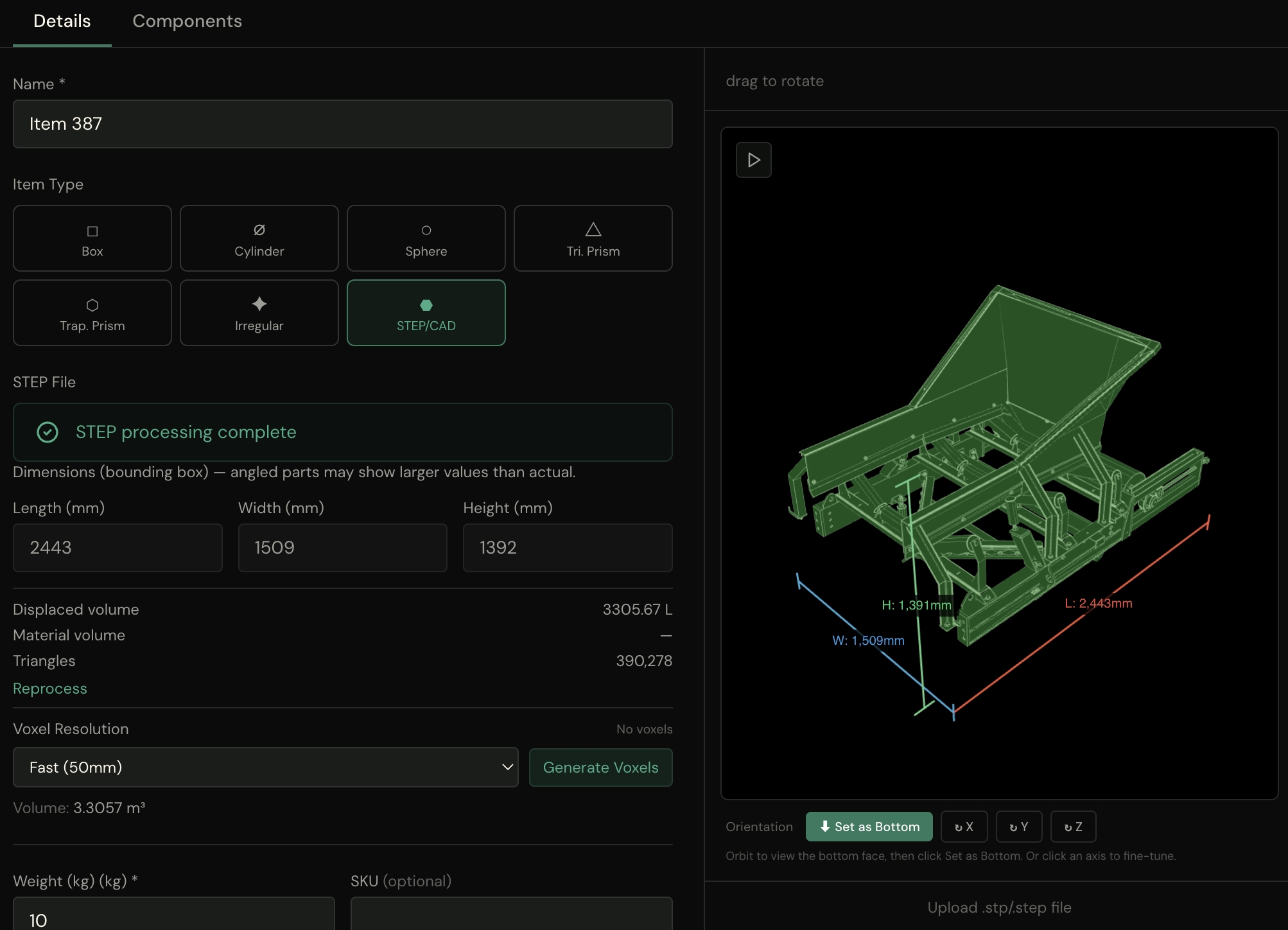
When processing completes, the numbers come from the file itself: dimensions, displaced volume, and center of mass are extracted from the true geometry — your library fills with parts that are exactly the size they really are. Set the loading orientation right in the preview, and generate voxels when you want shape-true packing.
True dimensions Displaced volume Center of mass
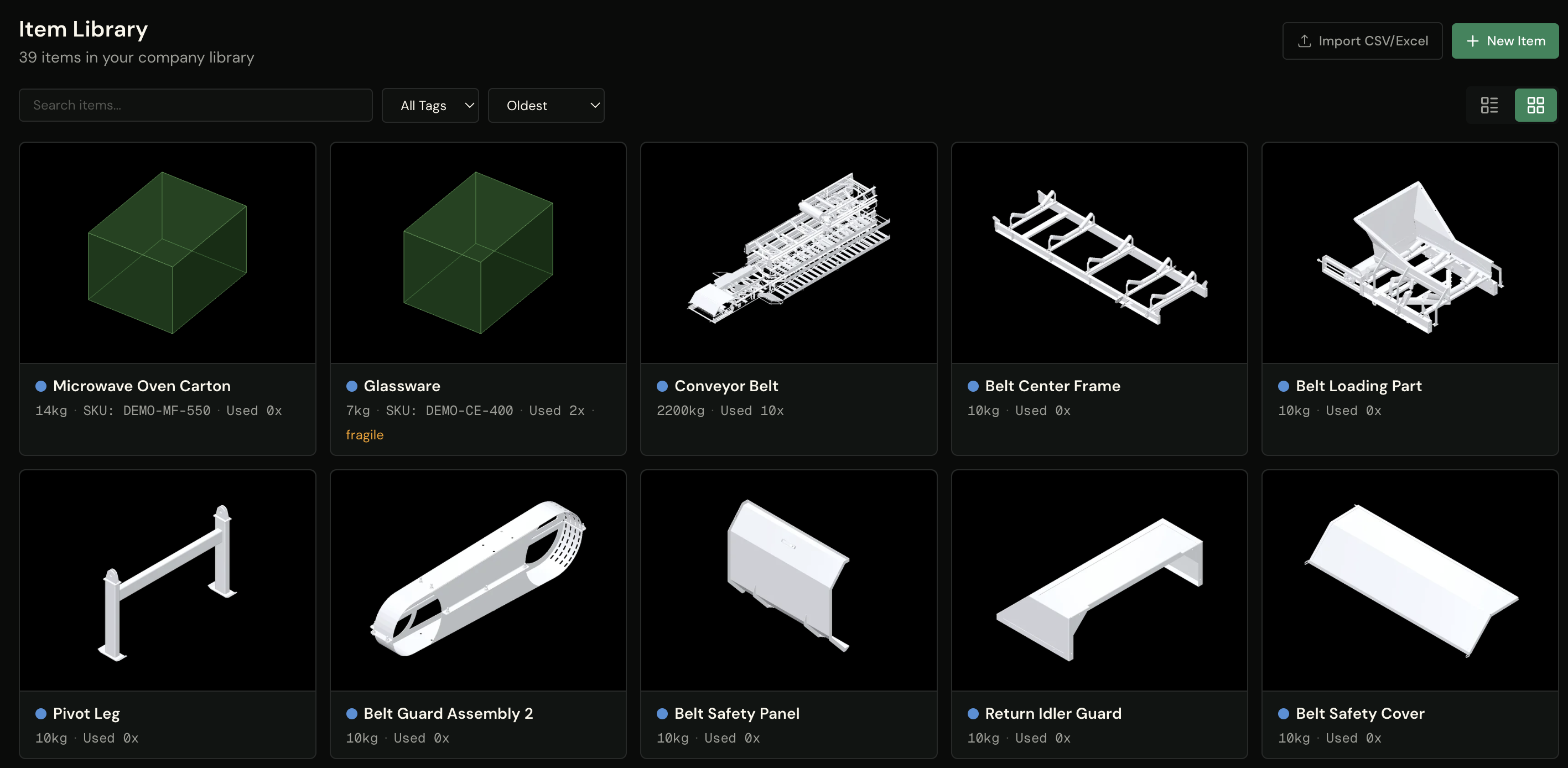
Finished CAD parts show their actual shape on the card, in the loading orientation you set — not an icon, not a placeholder. Scan a hundred parts and know instantly which is the belt scraper and which is the motor mount.
Real-geometry thumbnails Oriented as you set them
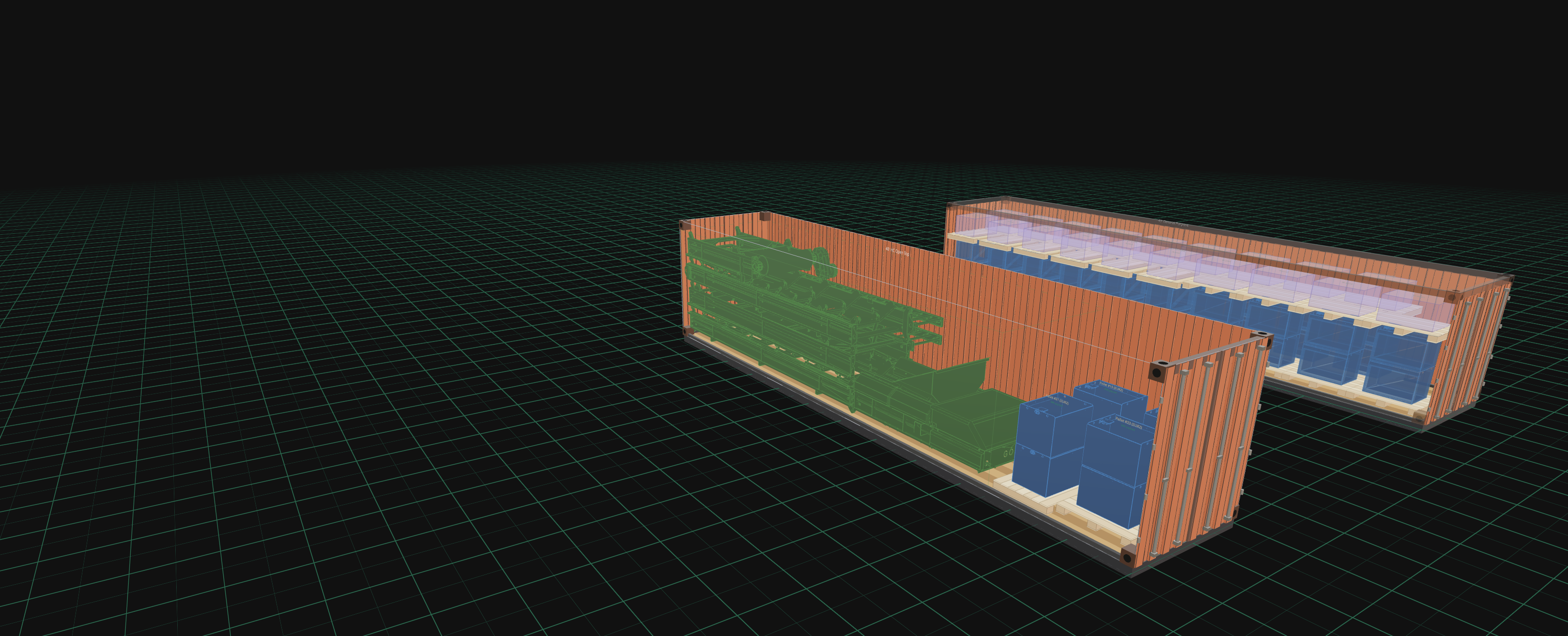
Every plan uses your parts' true numbers: real dimensions set the envelope, real displaced volume feeds utilization, and the real center of mass drives weight balance. In the 3D editor you see the actual part — rotate it, place it, export it on the plan your warehouse will follow. And when shape matters most: Real shapes, not boxes — parts are tested against each other's true geometry.