Features
Load Planning,
Reimagined.
Built for the people who actually pack containers.
Built for the people who actually pack containers.
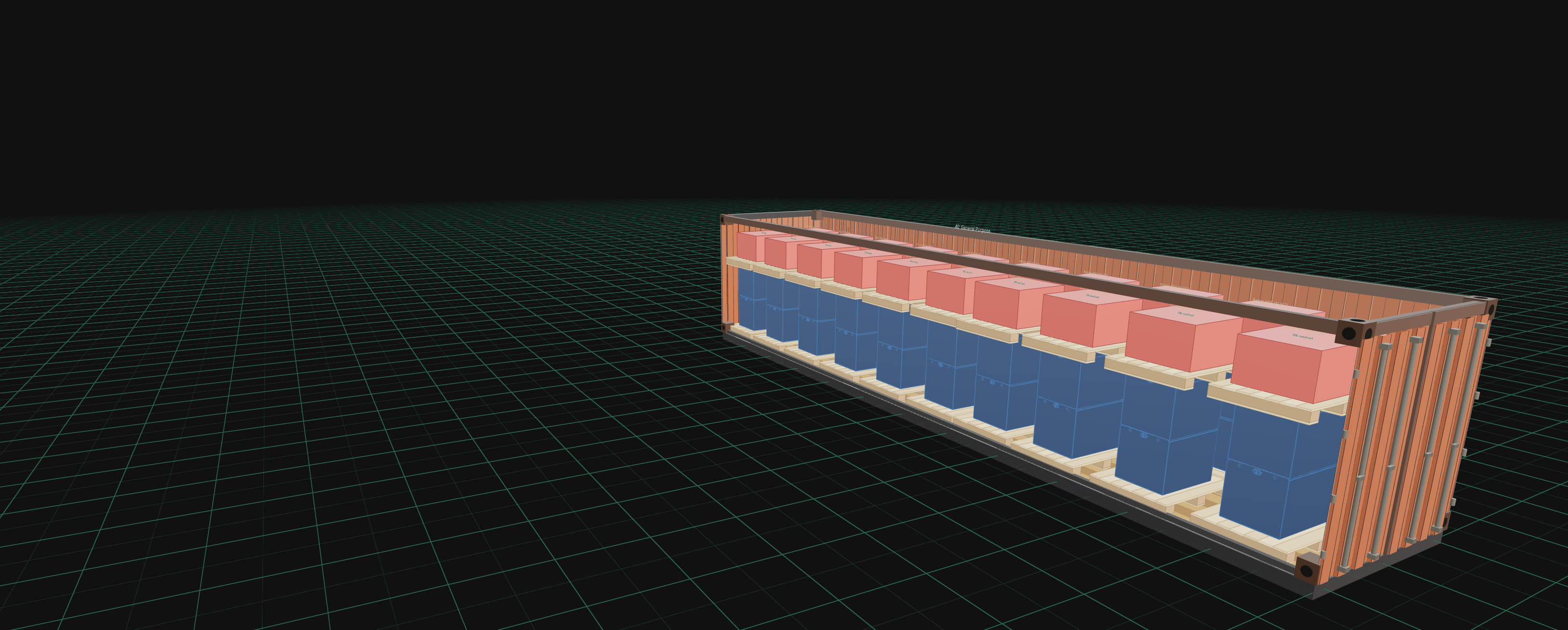
Plan shipments across multiple containers simultaneously. Cargo is spread evenly across your containers — each item goes to the container with the most room left — and loading groups keep specific pallets together.
Auto Distribution Rebalancing Loading Groups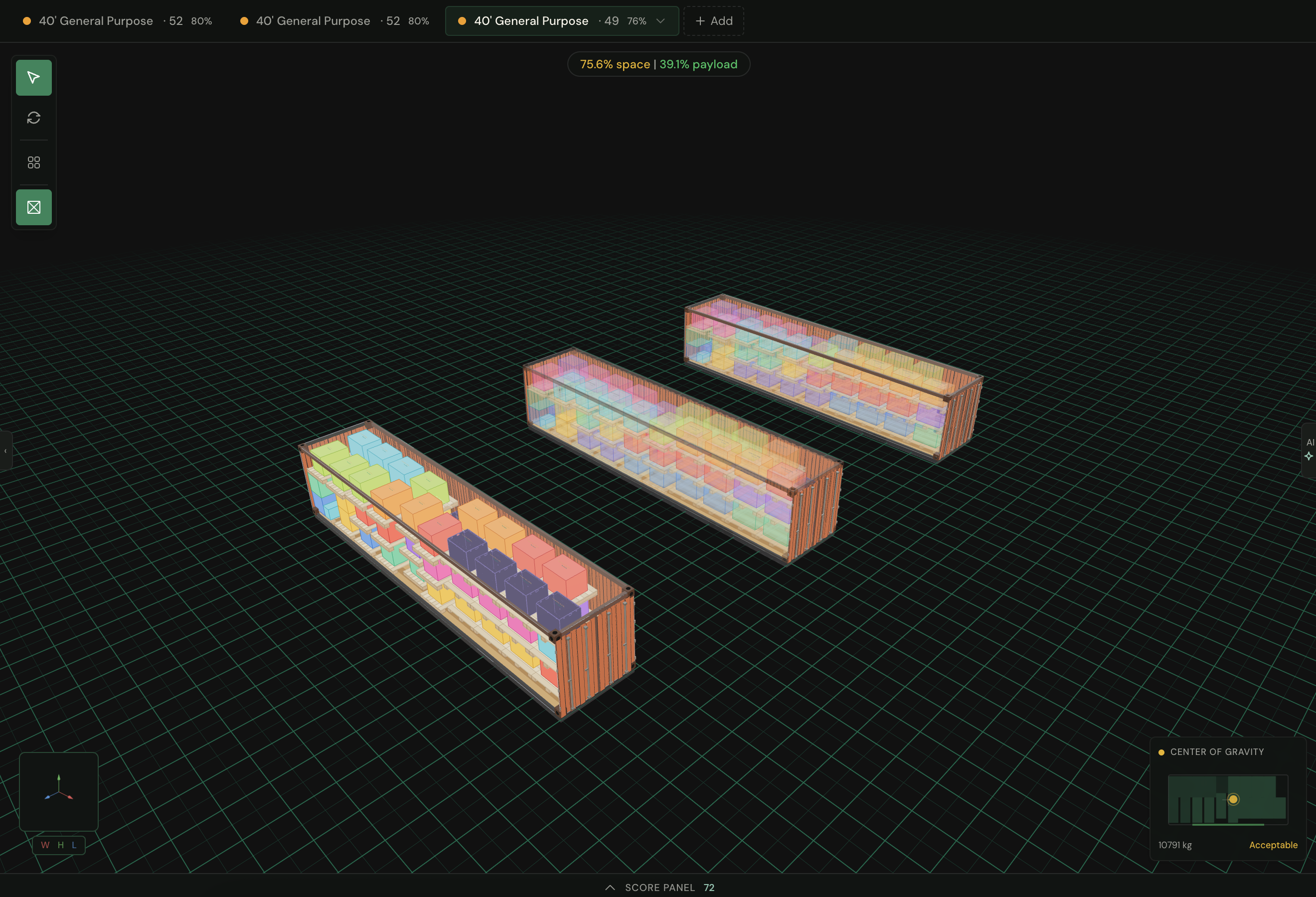
One click palletizes your whole cargo list: LOP groups compatible items, builds each pallet with the same placement logic as container loading, and balances weight across the set. Choose column, interlock, or pinwheel patterns for uniform cartons — or let Best Fit find the densest arrangement. Every pallet is its own small load plan, solved for real.
Palletize All Column / Interlock / Pinwheel Weight-balanced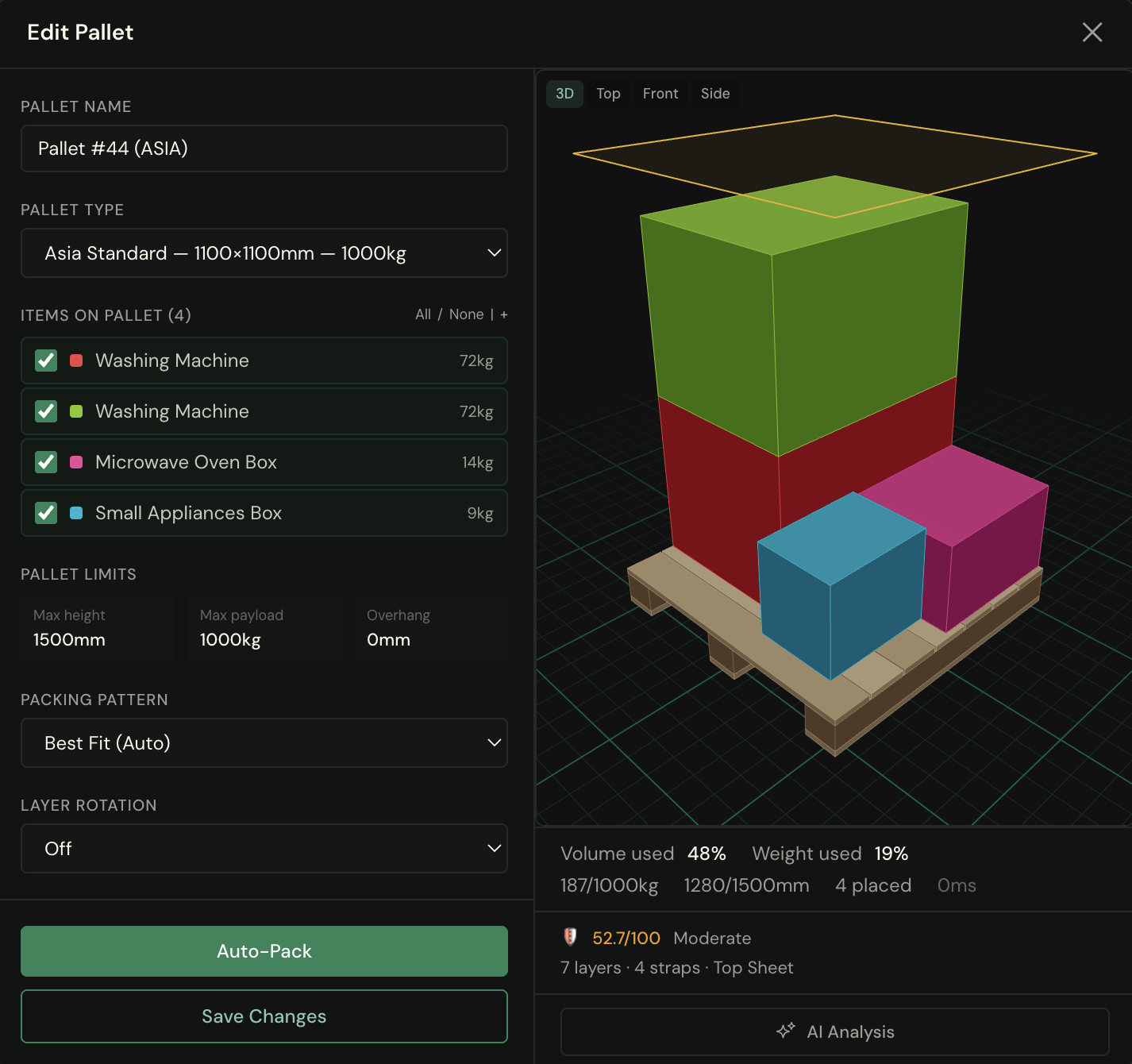
Your machines aren't boxes — and your load plans shouldn't pretend they are. Drop in the STEP files your engineers already have: LOP reads the true geometry — exact dimensions, real displaced volume, actual center of mass — and every plan runs on your parts' true numbers. And when shape decides the load, voxelize the part and Smart Plan and Maximum Fill pack it by its real form — nesting machinery where bounding boxes would collide. The load you approve is the load that ships.
Auto-Orient Real 3D Meshes Industry First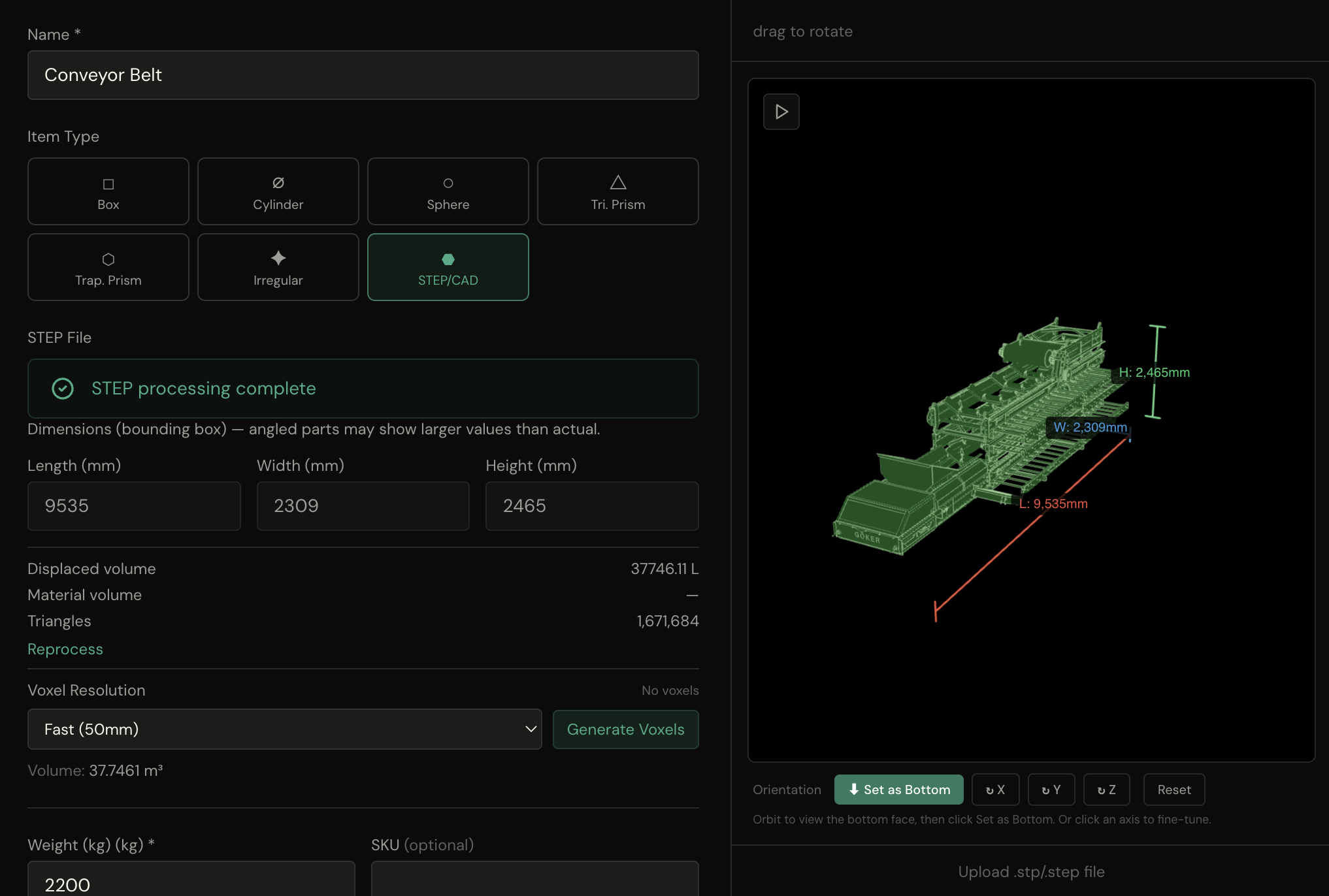
Typical single-container times: Quick Plan around 2 seconds, Smart Plan around 10 seconds, Maximum Fill around a minute. Times vary with cargo and hardware.
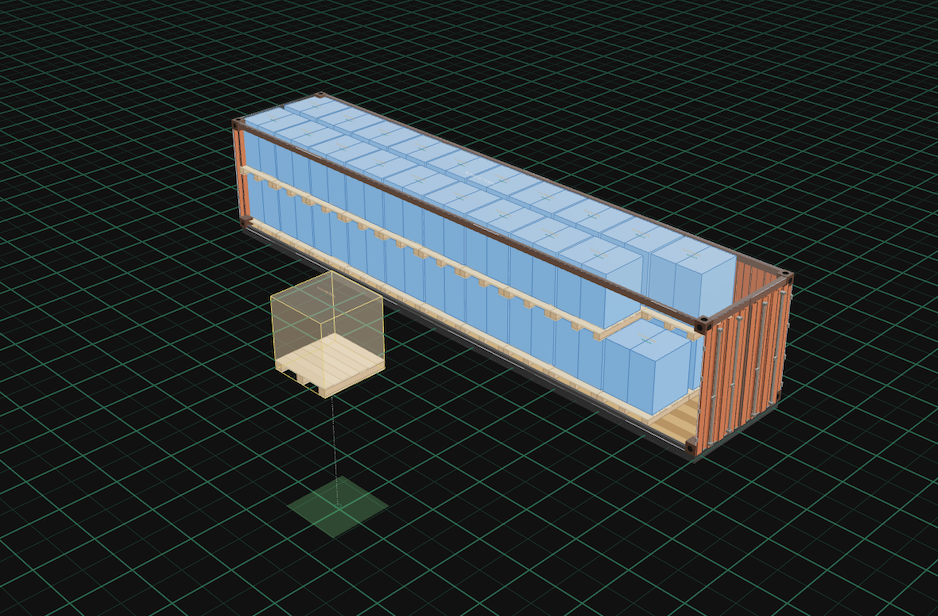
A real-time 3D editor built with React Three Fiber. Drag and drop items into containers and rotate with precision. Get instant geometric feedback as you drag — and every solve validates the full constraint set. Orbit, pan, and zoom with mouse controls. Switch between 3D, Top, Front, Side, and Door camera presets with smooth transitions.
Orbit Controls Camera Presets Undo/RedoImport from your existing systems. LOP's smart column detection automatically maps fields from SAP, Oracle, and generic CSV/Excel files. Multi-language header support means your German, Turkish, or Japanese export files just work.
SAP Oracle CSV/Excel Auto-Detect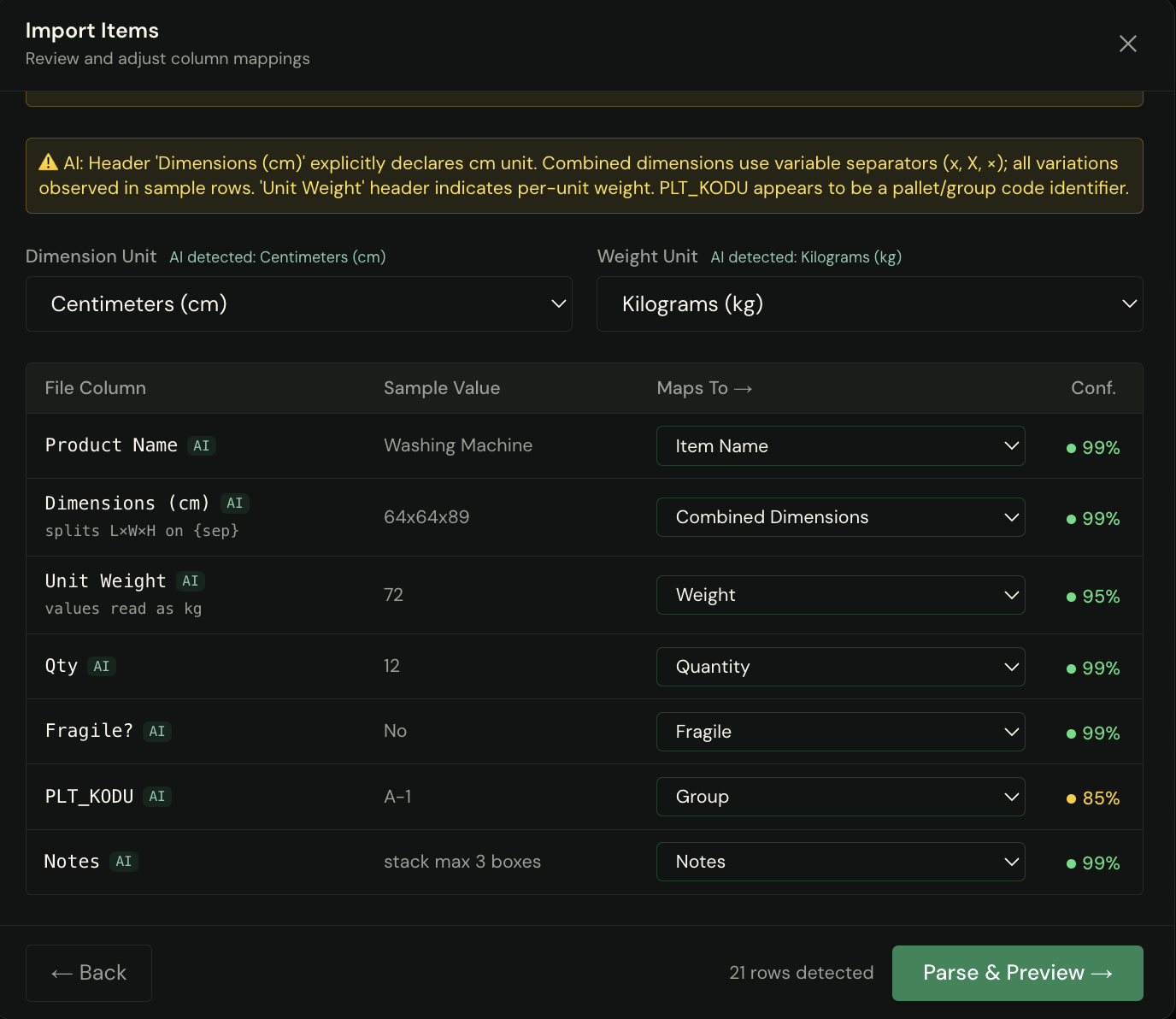
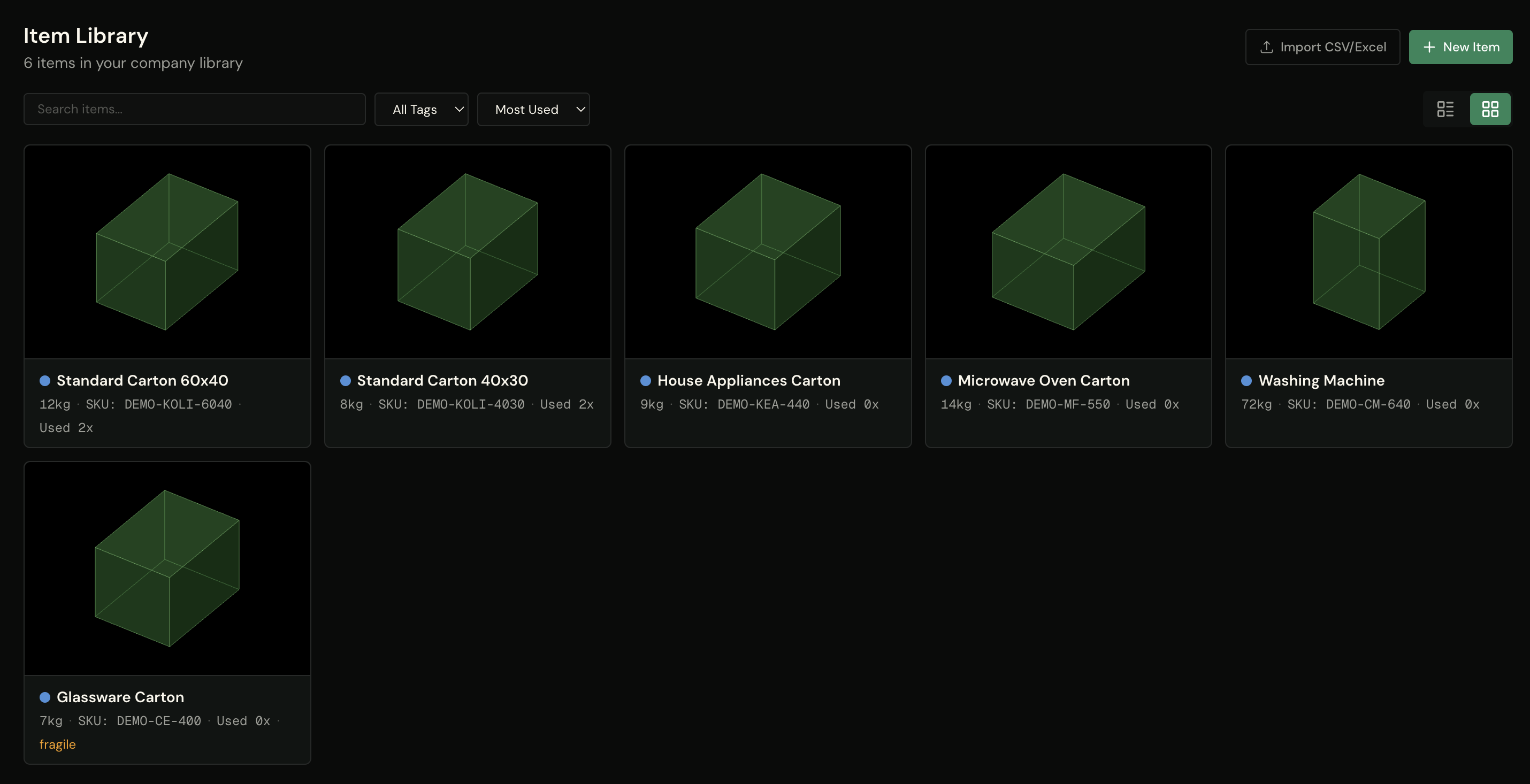
Build your company's item library with dimensions, weights, constraints, and even STEP files. Organize with assembly support (item trees). Search, filter, and add items to any plan with one click. Never re-enter the same product specifications again.
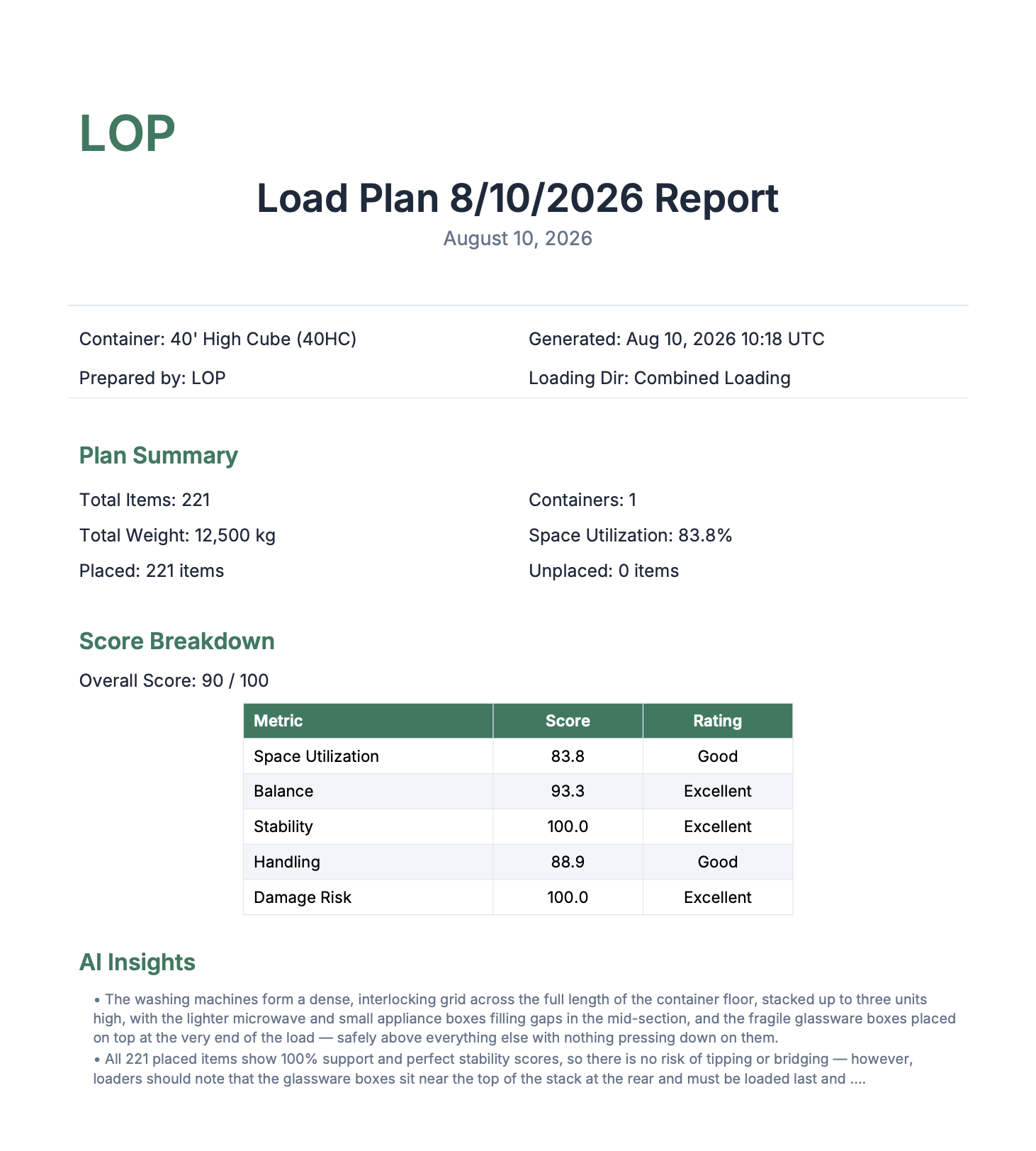
Item Trees STEP Storage One-Click AddPowered by Claude AI, LOP doesn't just optimize — it explains every decision. Get score breakdowns across 5 metrics: utilization, weight balance, stability, handling efficiency, and damage risk. See binding constraints, improvement suggestions with impact levels, and actionable next steps.
Score Breakdown Suggestions Powered by Claude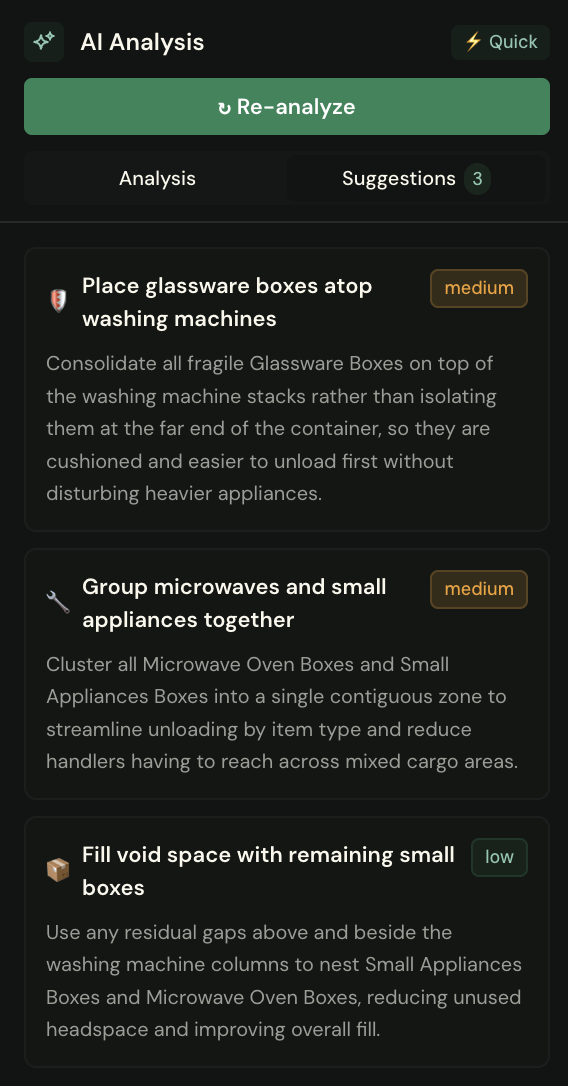
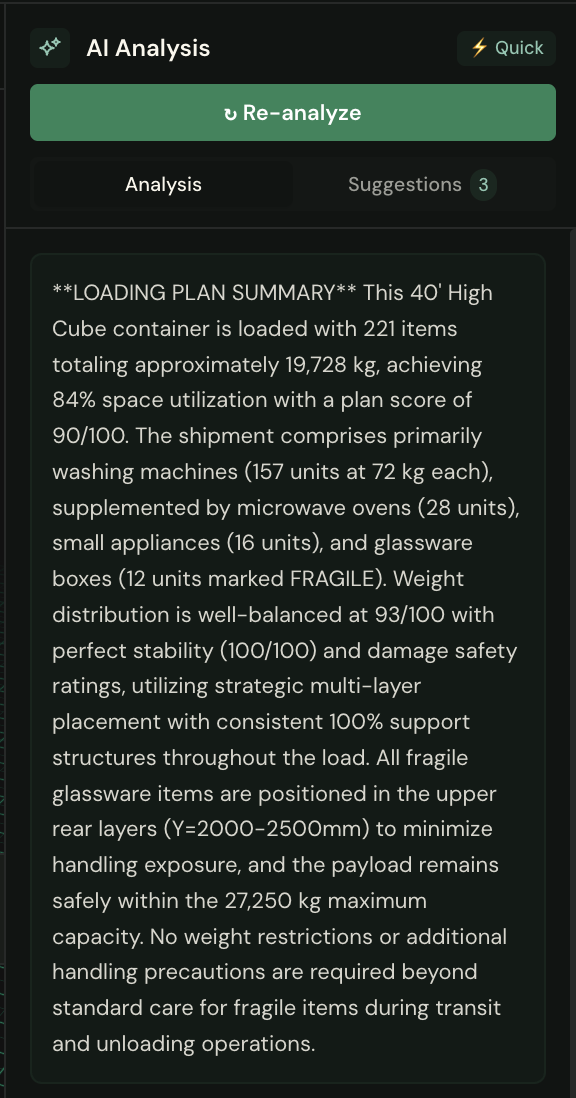
Every plan is validated on every solve — payload, stacking, crush, support, and separation, plus axle loads on axle-configured trucks. And the utilization figure is honest: computed against your container's real structural volume, not the brochure number.
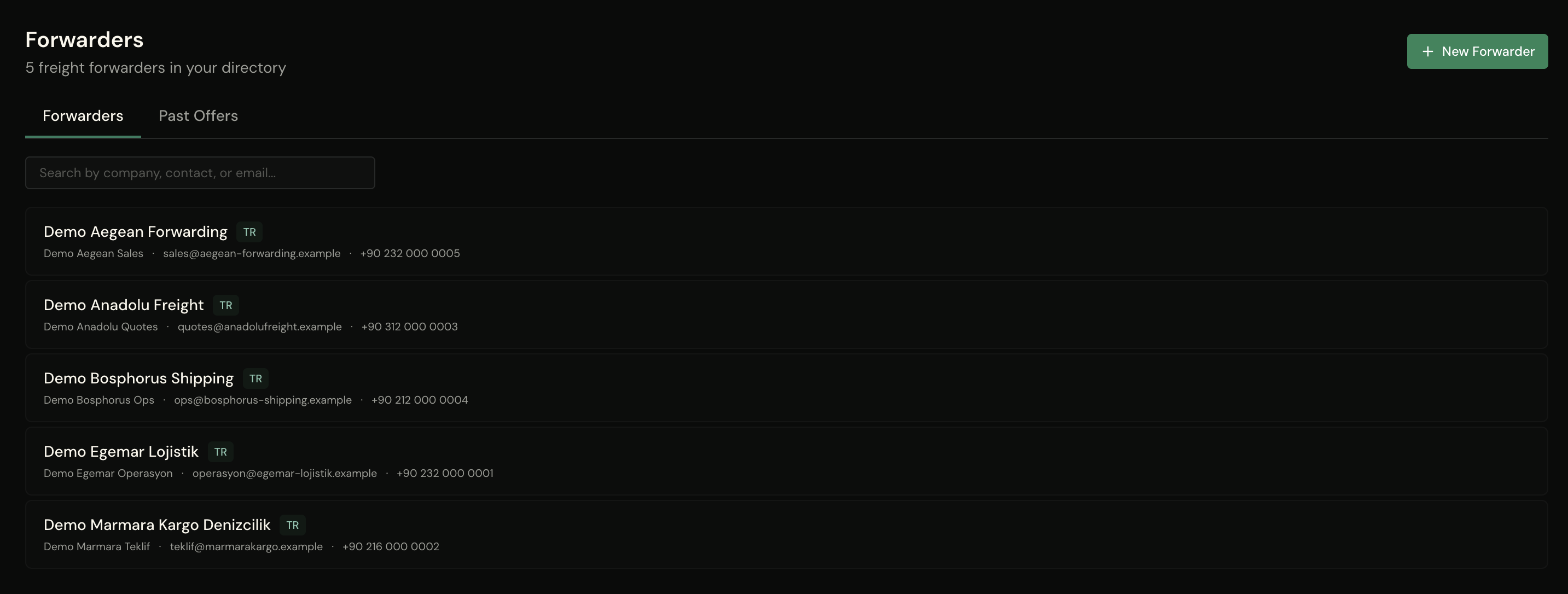
Pick forwarders from your directory and send quote requests straight from your own Outlook — each email carries a branded PDF of the exact load: container views, packing list, per-container weights. Log the responses as they come in and compare them side by side. The plan you optimized becomes the quote you negotiate with.
Send from your Outlook Branded plan PDF Side-by-side comparisonExport PDF load plans with 2D diagrams and loading sequences your warehouse team can follow step by step. PDF and Excel exports can include AI insights when the plan has a current analysis. The packing list writes itself: every export carries an automatically generated packing list and a step-by-step loading sequence — ready for the warehouse floor, not the office.
PDF Excel CSV Packing List Loading Sequence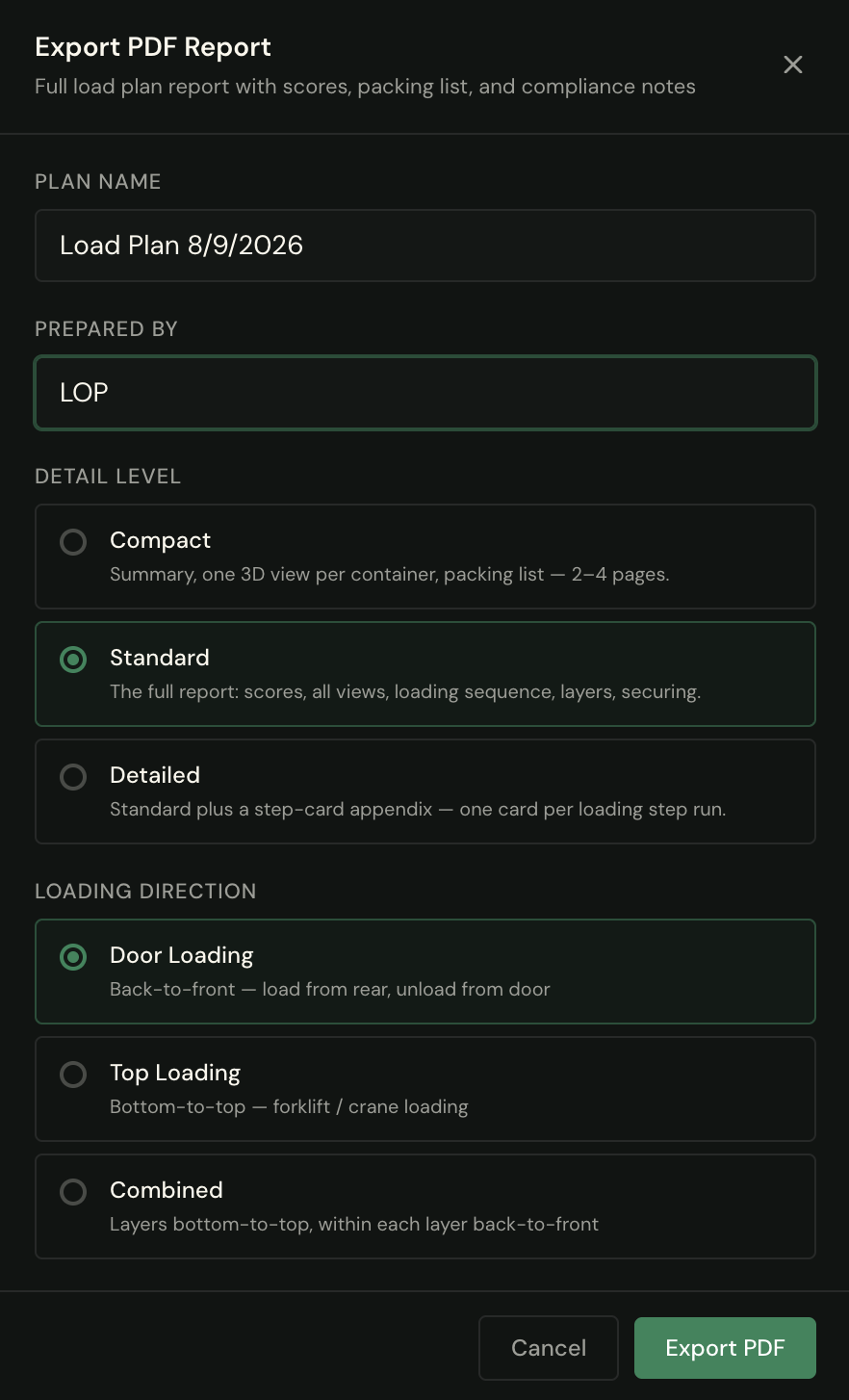
Start free — no credit card required.